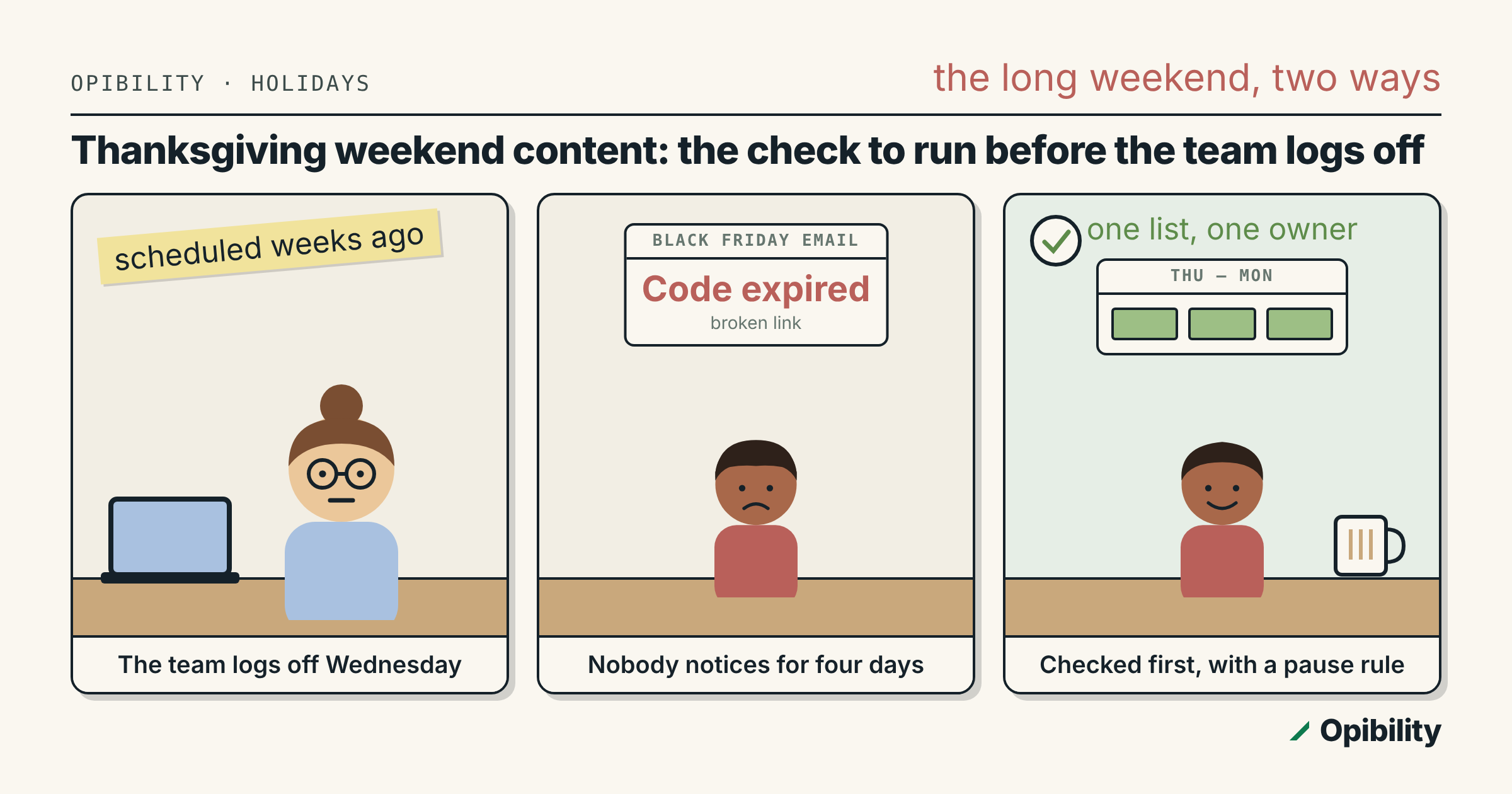
Thanksgiving is today, Thursday, November 26, 2026. Black Friday is tomorrow and Cyber Monday is November 30. For a lot of marketing teams, the office went quiet sometime Wednesday afternoon and will not really be back until Monday morning. The content calendar does not take the weekend off. Blog posts, promotional emails, social posts and ads that were scheduled weeks ago will keep firing, on exactly the days your audience is paying the most attention, with the fewest people around to notice when something goes wrong.
The scale of that attention is real. Adobe Digital Insights reported that US shoppers spent $44.2 billion online across the five days from Thanksgiving through Cyber Monday in 2025, and that Cyber Monday, at $14.25 billion, was again the biggest online shopping day of the year. Whatever you sell, the inboxes and feeds you publish into are at their most crowded this weekend. A broken link or an expired code costs more now than in an ordinary week, and it can sit there for four days before anyone sees it.
This post is the check we would run before a long weekend of unattended publishing. If you are reading it on Thanksgiving, there is still time to run it before Black Friday. If you are not, keep it for the December break, which has the same problem with more days in it.
1. Put everything that will fire on one list
Scheduled content is usually spread across several tools: the blog or CMS, the email platform, a social scheduler, the ad accounts. Nobody sees all of it in one place, which is how two promotions with different end dates end up going out on the same morning. Before the weekend, pull every item scheduled from Thursday through Monday into one list: what it is, the channel, the date and time it goes out, and the page it links to. Ten minutes of copying is enough. The list is the thing everything else on this page gets checked against.
2. Check the times, and whose time zone they are in
Schedulers send in the time zone the account was set up with, which is not always the one the person scheduling had in mind. Check that each item goes out when you meant it to, and that every deadline in the copy matches the promotion itself. "Ends at midnight" needs a time zone, and it needs to match the moment the code actually stops working, the landing page comes down, and the ad stops running. If a promotion ends Monday night, check that nothing scheduled for Tuesday morning still advertises it.
3. Click every link and test every code
Open each link on the list, on a phone as well as a laptop. Confirm the landing page is live and is the page the copy describes, not last year's version or a draft. Try every promo code, ideally in a checkout that has not been tested by the person who set it up. Check that tracking parameters are on the links that need them. If a product or a session is likely to sell out, decide now what the page says when it does, so a sold-out item does not stay in the promotion for the rest of the weekend.
4. Name one owner and write down the pause rule
Unattended does not have to mean unwatched. Name one person who will look at the live channels once a day, and make sure they have the logins to do something about what they find. Then write down, in a sentence each, when everything scheduled gets paused: a serious news event that makes promotional posts look tone-deaf, a site or checkout outage, or a mistake in a live offer. Add how to pause in each tool, because the person on watch may not be the one who scheduled it. A pause that takes five minutes on Friday morning is better than an apology on Monday.
5. Keep holiday email inside the sender rules
Email volume climbs this weekend, and so does the temptation to send to every address you have. Gmail's sender guidelines apply all weekend like any other: Google treats anyone sending around 5,000 or more messages a day to Gmail accounts as a bulk sender, requires one-click unsubscribe on marketing email and that unsubscribe requests are processed within two days, and asks senders to keep the user-reported spam rate below 0.1% and never let it reach 0.3%. The practical rules for the weekend follow from that. Do not wake up a segment you have not emailed in a year just because it is Black Friday, since that is where complaints come from. Check that the unsubscribe link works on every holiday template, not just the usual one. And make sure someone is actually processing unsubscribes while the team is away.
6. Say what happens while you are away
Holiday traffic produces replies, contact-form messages and comments. Set the auto-reply and any chat or contact page to say when someone will respond, and make it accurate. "We'll get back to you within the hour" over a four-day weekend is a promise the weekend will break. If a post invites people to reply or comment, either someone reads the replies or the post does not invite them.
7. Earn the Thanksgiving message, or keep it short
A thank-you to customers is the one piece of Thanksgiving content that fits almost any business, and it works best when it is specific: what you are actually grateful for this year, said plainly, without a discount attached. A generic "Happy Thanksgiving" graphic posted between two promotions reads as filler. A short, sincere note, or saying nothing, is fine. The same discipline we apply to Veterans Day content applies here: if the only link to the day is the date, keep it brief.
The ten-minute version
- Is everything scheduled from Thursday to Monday on one list, with its channel, time and link?
- Does each item go out at the time you meant, in the time zone you meant?
- Does every deadline in the copy match when the offer, code and ads actually end?
- Does every link open the right live page, on a phone too, and does every code work?
- Is there one named owner with the logins, and a written rule for when to pause everything?
- Does every holiday email have a working one-click unsubscribe, and is it going only to people who expect it?
- Do the auto-reply and contact page say honestly when someone will respond?
The takeaway
A long weekend of scheduled content is fine. A long weekend of scheduled content that nobody has checked, that nobody owns, and that nobody knows how to stop is how a holiday mistake runs for four days. Put it all on one list, check the times, the links and the codes, name an owner with a pause rule, and keep email inside the sender rules. Then take the day off.
Sources: Adobe, Adobe: Cyber Monday Hits Record $14.25 Billion in Online Spending (December 2025); Adobe, Adobe: Holiday Shopping Season Drove a Record $257.8 Billion Online (January 2026), for the $44.2 billion Cyber Week figure (Thanksgiving through Cyber Monday, US online spending, Adobe Digital Insights); Google, Email sender guidelines and Email sender guidelines FAQ; Google, New Gmail protections for a safer, less spammy inbox.